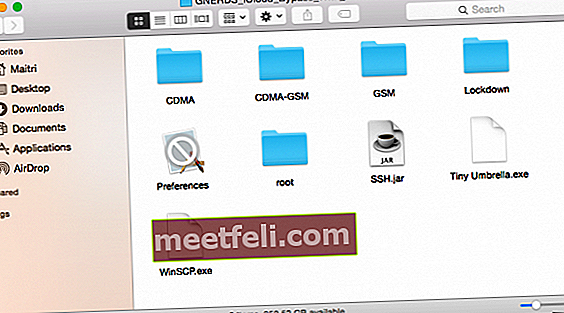

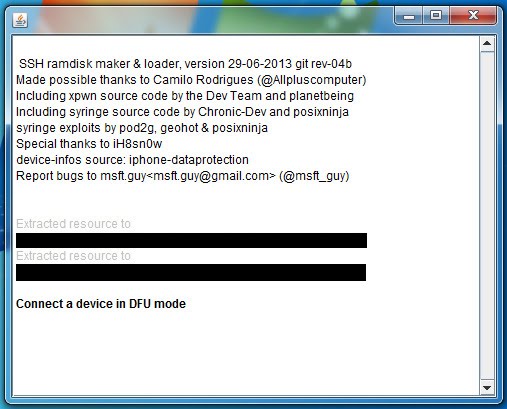
3.Run ssh.jar for you iphone 4.Open winSCP 5.Open new connection 6.Host name: 127.0.0.1 7.Port: 2022 8.Login root 9.Password alpine 10.Press the terminal button in winSCP and type mount.sh 11.Go to mnt1/var/Applications and right click and delete setup.app 12.Reboot your device Home+power 13.Your device will now be on. It's an iPhone 3,2 (Rev A) running iOS 7.1.2. When I use the tool, this is the output that I get: Exploit sent! Preparing to load the ramdisk. Ramdisk load started! The iPhone boots normally, then the program shows the 'Connect to localhost on port 2022' message, but it just times out when I try to do that. In videos I've watched, the iPhone. Download Ssh Ramdisk Tool.Jar uploaded at SaveShared.com™, file hash fc657170411bfa46385cc0e454227044, file size 3.52 MB and last modified on 2016-06-18 13:08:39. About Press Copyright Contact us Creators Advertise Developers Terms Privacy Policy & Safety How YouTube works Test new features Press Copyright Contact us Creators.
How to fix INIT FAILED Mux Thread on SSH.JAR (iPhone 4 iCloud Bypass). This problem is related to iTunes version. It say that you might need to install iTunes 9 or newer but 12 is not supported as the app is made in late 2013.
A simple downgrade to iTunes 11.5 (11.4) will fix the issue. Follow the video and uninstall iTunes 12 on the same order as me, else you won’t be able to install 11.5
Ssh.jar File For Iphone 4s
This iTunes version is so hard to find on the internet. But here are the links!
iTunes 11.4 64 bit: http://bit.ly/1MJismt
iTunes 11.4 32 bit: http://bit.ly/1NUPnXO
Ssh Jar For Iphone 4 Not Working
My app for…